
Online Test Fundamental of Computer

Online Test Fundamental of Computer

Fundamental of Computer Quiz एक MCQ आधारित टेस्ट है जिसमें कंप्यूटर के बेसिक ज्ञान से जुड़े महत्वपूर्ण प्रश्न शामिल होते हैं। इस क्विज में हार्डवेयर, सॉफ्टवेयर, इनपुट-आउटपुट डिवाइस, इंटरनेट और MS Office जैसे टॉपिक्स से प्रश्न पूछे जाते हैं। यह क्विज छात्रों, beginners और प्रतियोगी परीक्षा की तैयारी करने वालों के लिए बेहद उपयोगी है।
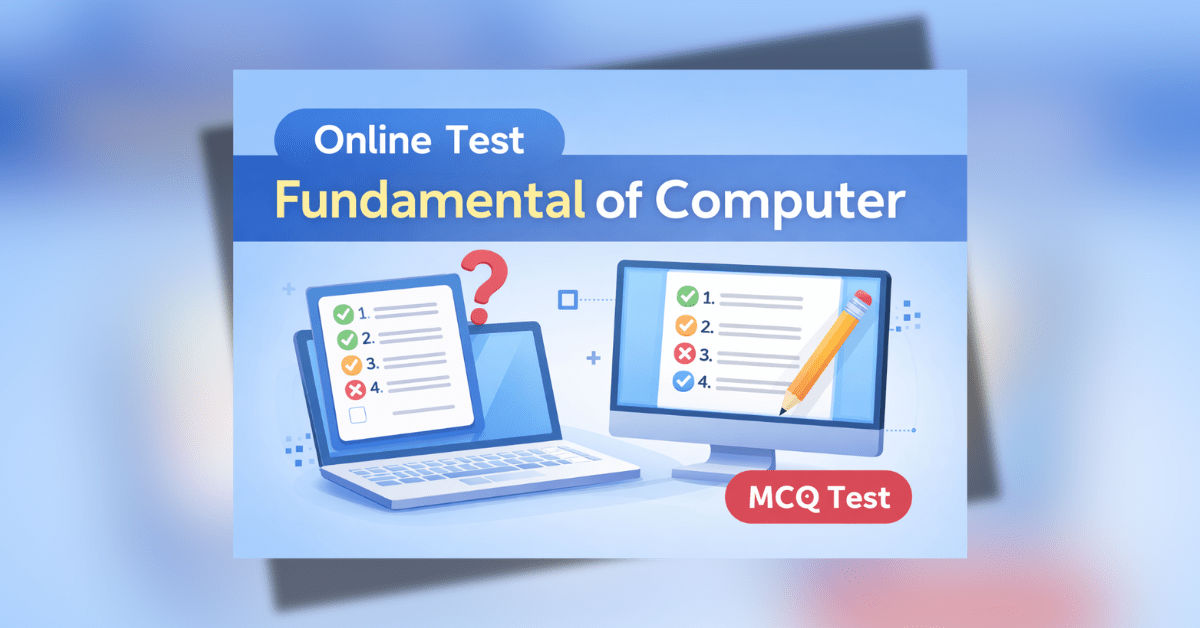
Fundamental of Computer Quiz online test MCQ with laptop and computer screen
Introduction to Computer Quiz in Hindi UICT Online Test

Introduction to Computer

1 / 30

What is information?

2 / 30

Which device is used to type?

3 / 30

Which is not output device?

4 / 30

Which is brain of computer?

5 / 30

What is full form of RAM?

6 / 30

Which is not input device?

7 / 30

What is ROM?

8 / 30

Which is input device?

9 / 30

Which device prints output?

10 / 30

What is software?

11 / 30

Which is processing device?

12 / 30

What is full form of CPU?

13 / 30

Which device displays output?

14 / 30

Which is primary memory?

15 / 30

What is IPO cycle?

16 / 30

Which is example of hardware?

17 / 30

What is input?

18 / 30

Which device is used to point?

19 / 30

What is a computer?

20 / 30

Which is example of software?

21 / 30

Who is father of computer?

22 / 30

Which is fastest memory?

23 / 30

Which is storage device?

24 / 30

What is full form of ROM?

25 / 30

Which is secondary memory?

26 / 30

What is output?

27 / 30

What is RAM?

28 / 30

Which is output device?

29 / 30

What is hardware?

30 / 30

What is data?

Your score is

The average score is 68%

Computer MCQ Questions ADCA Practice Set thumbnail with C, HTML, MS Office and Tally topics

Working Principal of Computer

Store

1 / 30

What is function of memory?

Calculate

2 / 30

What is function of ALU?

Input unit

3 / 30

Which unit accepts input?

IPO

4 / 30

Which is basic working model?

CPU

5 / 30

Which unit connects all components?

Result

6 / 30

What is output?

Typing

7 / 30

Which device is used for input?

Processed

8 / 30

What is information?

ALU

9 / 30

Which part of CPU performs calculations?

Input

10 / 30

Which operation is first?

Output

11 / 30

Which unit gives output?

Memory

12 / 30

Which unit stores instructions?

Output

13 / 30

Which unit receives result?

CU

14 / 30

Which part controls all operations?

Permanent

15 / 30

Which memory is permanent?

IPO

16 / 30

Which cycle repeats continuously?

Volatile

17 / 30

Which memory is temporary?

Basic

18 / 30

What is IPO cycle?

Work

19 / 30

What is processing?

Control

20 / 30

What is function of CU?

CPU

21 / 30

Which unit converts data into information?

Input

22 / 30

Which unit sends data to CPU?

CPU

23 / 30

Which unit performs processing?

Control

24 / 30

What is CU?

Display

25 / 30

Which device gives output?

Process

26 / 30

What is main function of CPU?

Convert

27 / 30

What is data processing?

Arithmetic

28 / 30

What is ALU?

Output

29 / 30

Which operation is last?

Data

30 / 30

What is input?

Your score is

The average score is 70%

Computer MCQ Questions ADCA Practice Set thumbnail with C, HTML, MS Office and Tally topics

Computer Memory

External

1 / 30

What is secondary storage?

RAM

2 / 30

Which memory is used during processing?

Cache

3 / 30

Which is fastest memory?

Permanent

4 / 30

What is ROM?

Flash

5 / 30

Which memory is used in mobile?

Small

6 / 30

Which memory is part of CPU?

CPU

7 / 30

What is register?

Storage

8 / 30

Which memory is used for backup?

Read Only

9 / 30

What is full form of ROM?

Disk

10 / 30

Which memory is slowest?

Register

11 / 30

Which memory is fastest?

Storage

12 / 30

Which is example of secondary memory?

ROM

13 / 30

Which memory stores BIOS?

Temporary

14 / 30

What is RAM?

Temporary

15 / 30

Which memory is used for temporary storage?

Main

16 / 30

Which is primary memory?

RAM

17 / 30

Which memory stores instructions temporarily?

Volatile

18 / 30

Which memory is temporary?

Primary

19 / 30

Which memory is called main memory?

Fast

20 / 30

What is cache memory?

Storage

21 / 30

What is computer memory?

Permanent

22 / 30

Which memory is non-volatile?

Disk

23 / 30

Which memory stores operating system?

Flash

24 / 30

Which memory is used in pen drive?

RAM

25 / 30

Which memory is used to store programs?

Permanent

26 / 30

Which memory is used for permanent storage?

Random

27 / 30

What is full form of RAM?

Non-volatile

28 / 30

Which memory is permanent?

Storage

29 / 30

Which is secondary memory?

Temporary

30 / 30

Which memory is volatile?

Your score is

The average score is 57%

Computer MCQ Questions ADCA Practice Set thumbnail with C, HTML, MS Office and Tally topics

Windows

Symbol

1 / 30

What is icon?

Data

2 / 30

What is file?

Reboot

3 / 30

What is restart?

Bottom

4 / 30

What is taskbar?

Full

5 / 30

What is maximize?

Storage

6 / 30

What is folder?

Insert

7 / 30

What is paste?

Start

8 / 30

What is Start Menu?

Move

9 / 30

What is drag and drop?

OS

10 / 30

What is Windows?

Screen

11 / 30

What is screen saver?

Drives

12 / 30

What is My Computer?

Screen

13 / 30

What is desktop in Windows?

Duplicate

14 / 30

What is copy?

Logout

15 / 30

What is log off?

Find

16 / 30

What is search?

Settings

17 / 30

What is control panel?

Screen

18 / 30

What is window?

Name

19 / 30

What is rename?

Off

20 / 30

What is shutdown?

Control

21 / 30

What is task manager?

Quick

22 / 30

What is shortcut?

Browse

23 / 30

What is file explorer?

GUI

24 / 30

Which type of OS is Windows?

Company

25 / 30

Who developed Windows?

Exit

26 / 30

What is close button?

Trash

27 / 30

What is Recycle Bin?

Remove

28 / 30

What is delete?

Background

29 / 30

What is wallpaper?

Hide

30 / 30

What is minimize?

Your score is

The average score is 78%

Computer MCQ Questions ADCA Practice Set thumbnail with C, HTML, MS Office and Tally topics

Wordpad Program

Editor

1 / 30

What is WordPad?

Ctrl

2 / 30

What is shortcut key for Save?

File

3 / 30

Which menu is used to create new file?

Exit

4 / 30

Which option closes WordPad?

WordPad

5 / 30

Which program is advanced than Notepad?

Highlight

6 / 30

What is bold used for?

Ctrl

7 / 30

What is shortcut key for Copy?

Font size

8 / 30

Which option changes text size?

Save As

9 / 30

Which option saves file with new name?

Format

10 / 30

Which feature formats text?

RTF

11 / 30

Which file supports formatting?

Open

12 / 30

Which option opens file?

Date

13 / 30

Which feature inserts date/time?

Font

14 / 30

Which option is used to change font?

Windows

15 / 30

Which OS includes WordPad?

Cut

16 / 30

Which option is used to cut text?

Align

17 / 30

Which option aligns text?

Text

18 / 30

What is WordPad mainly used for?

.rtf

19 / 30

What type of file WordPad creates?

Color

20 / 30

Which option changes text color?

Paste

21 / 30

Which option is used to paste text?

Line

22 / 30

What is underline used for?

rtf

23 / 30

What is default extension of WordPad?

Ctrl

24 / 30

What is shortcut key for Paste?

Style

25 / 30

What is italic used for?

Save

26 / 30

Which menu is used to save file?

Print

27 / 30

Which option prints document?

Insert

28 / 30

Which option is used to insert image?

Copy

29 / 30

Which option is used to copy text?

Ctrl

30 / 30

What is shortcut key for Cut?

Your score is

The average score is 77%

Computer MCQ Questions ADCA Practice Set thumbnail with C, HTML, MS Office and Tally topics

Microsoft Excel

Spreadsheet

1 / 60

What is Microsoft Excel?

Graph

2 / 60

What is chart?

Search

3 / 60

What is HLOOKUP?

Name

4 / 60

What is rename sheet?

Horizontal

5 / 60

What is a row?

Condition

6 / 60

What is conditional formatting?

Home

7 / 60

Which tab contains conditional formatting?

Dollar

8 / 60

Which symbol is used in absolute reference?

Insert

9 / 60

Which tab inserts pivot table?

Lock

10 / 60

What is freeze row?

COUNTA

11 / 60

Which function counts text?

COUNT

12 / 60

Which function counts numbers?

Fixed

13 / 60

What is absolute reference?

Lock

14 / 60

What is freeze column?

Vertical

15 / 60

What is a column?

Built-in

16 / 60

What is function in Excel?

Condition

17 / 60

What is IF function?

F2

18 / 60

Which key edits cell?

Sheet

19 / 60

What is worksheet?

Calculation

20 / 60

What is formula?

xlsx

21 / 60

What is default extension of Excel file?

Data

22 / 60

Which tab contains data validation?

Arrange

23 / 60

What is sorting?

Home

24 / 60

Which tab is used for formatting?

Insert

25 / 60

Which tab inserts chart?

Style

26 / 60

What is cell format?

MAX

27 / 60

Which function finds maximum?

Limit

28 / 60

What is data validation?

Summary

29 / 60

What is pivot table?

Fill

30 / 60

What is autofill?

AVG

31 / 60

Which function finds average?

Alt

32 / 60

Which key creates new line in cell?

Split

33 / 60

Which option splits cells?

ROUND

34 / 60

Which function rounds numbers?

MIN

35 / 60

Which function finds minimum?

SUM

36 / 60

Which function adds numbers?

Save

37 / 60

Which option saves file?

Equal

38 / 60

Which symbol starts formula?

File

39 / 60

What is workbook?

Security

40 / 60

What is workbook protection?

Mixed

41 / 60

What is mixed reference?

Print

42 / 60

Which option prints sheet?

Wrap

43 / 60

What is wrap text?

Developer

44 / 60

Which tab contains macro?

Select

45 / 60

What is filtering?

Microsoft

46 / 60

Which company developed Excel?

Lock

47 / 60

What is freeze panes?

Merge

48 / 60

What is merge & center?

Merge

49 / 60

Which option merges cells?

Box

50 / 60

What is a cell?

Remove

51 / 60

What is delete sheet?

Format

52 / 60

Which option changes number format?

Search

53 / 60

What is VLOOKUP?

Name

54 / 60

What is cell address?

Sheet

55 / 60

What is sheet tab?

Protect

56 / 60

Which option protects sheet?

Add

57 / 60

What is insert sheet?

Change

58 / 60

What is relative reference?

Formula

59 / 60

Which tab is used for formulas?

Automation

60 / 60

What is macro?

Your score is

The average score is 74%

Development of Computer Generations Diagram | Computer Evolution Chart

Development of Computer MCQ

Third gen

1 / 30

Which generation used IC?

Old tool

2 / 30

What was the first calculating device?

Old input

3 / 30

Which device used punch cards?

Modern

4 / 30

Which generation computers are smallest?

Future

5 / 30

Which generation is based on AI?

Analytical Engine

6 / 30

Who invented the first mechanical computer?

Early computer

7 / 30

ENIAC belongs to which generation?

First gen

8 / 30

Which generation used vacuum tubes?

Improved

9 / 30

Which generation was more reliable?

Storage

10 / 30

Which generation used magnetic disks?

All

11 / 30

Which generation improved speed significantly?

Babbage

12 / 30

Who invented Difference Engine?

AI

13 / 30

Fifth generation computers are based on?

Next tech

14 / 30

Vacuum tubes were replaced by?

Early coding

15 / 30

Which generation used assembly language?

Third gen

16 / 30

Which generation used semiconductor memory?

ENIAC

17 / 30

Which was the first electronic computer?

Latest

18 / 30

Which generation is fastest?

Old

19 / 30

Which generation consumed more power?

Fourth gen

20 / 30

Which generation used microprocessors?

German scientist

21 / 30

Who invented Stepped Reckoner?

Babbage

22 / 30

Who is known as father of computer?

First gen

23 / 30

UNIVAC is an example of which generation?

Next tech

24 / 30

What replaced IC in later computers?

Integrated

25 / 30

IC Full Form?

Second gen

26 / 30

Which generation used transistors?

French scientist

27 / 30

Who invented Pascaline?

Modern

28 / 30

Microprocessor belongs to which generation?

Old

29 / 30

Which generation computers were very large?

Third gen

30 / 30

Which generation introduced high-level languages?

Your score is

The average score is 59%

Computer MCQ Questions ADCA Practice Set thumbnail with C, HTML, MS Office and Tally topics

Input And Output

Screen

1 / 30

Which device gives soft copy output?

Barcode

2 / 30

Which device reads barcode?

1

3 / 30

Which is not output device?

Scan

4 / 30

Which device converts hard copy to soft copy?

Data

5 / 30

What is input?

Result

6 / 30

What is output?

Display

7 / 30

Which is an output device?

Print

8 / 30

Which device prints output?

Scan

9 / 30

What is scanner?

Camera

10 / 30

Which device captures image?

Touch

11 / 30

Which device is used for touch input?

Touch

12 / 30

Which is both input and output device?

Screen

13 / 30

Which device shows output on screen?

Screen

14 / 30

Which device displays images?

Sound

15 / 30

Which device gives audio output?

Pen

16 / 30

Which device is used to draw?

Game

17 / 30

Which device is used for gaming input?

Output

18 / 30

Which is not input device?

Camera

19 / 30

Which device is used for video input?

Mic

20 / 30

Which device is used to enter voice?

Typing

21 / 30

Which device is used to type data?

Display

22 / 30

What is monitor?

Print

23 / 30

What is printer?

Paper

24 / 30

Which device gives hard copy output?

Input

25 / 30

What is keyboard?

Data entry

26 / 30

What is an input device?

Audio

27 / 30

Which device is used to hear sound?

Typing

28 / 30

Which is an input device?

Cursor

29 / 30

Which device is used for pointing?

Scan

30 / 30

Which device is used for scanning?

Your score is

The average score is 82%

Computer MCQ Questions ADCA Practice Set thumbnail with C, HTML, MS Office and Tally topics

Operating System

Hardware

1 / 30

What is device driver?

Windows

2 / 30

Which OS is developed by Microsoft?

Tool

3 / 30

What is utility program?

Many users

4 / 30

What is multi user OS?

Command

5 / 30

What is CLI?

Commands

6 / 30

What is command interpreter?

System software

7 / 30

What is an operating system?

RAM

8 / 30

What is memory management?

Interface

9 / 30

Which OS supports GUI?

DOS

10 / 30

Which OS uses command line?

Control

11 / 30

What is the main function of OS?

Time

12 / 30

What is time sharing OS?

Android

13 / 30

Which OS is based on Linux?

Core

14 / 30

What is kernel?

Many tasks

15 / 30

What is multitasking OS?

GUI

16 / 30

Which OS is user friendly?

Task

17 / 30

What is scheduling?

OS

18 / 30

What is system call?

Program

19 / 30

What is process?

Protection

20 / 30

What is security in OS?

Linux

21 / 30

Which OS is open source?

One user

22 / 30

What is single user OS?

Efficient

23 / 30

Which OS is fastest?

Fast

24 / 30

Which is real time OS?

Android

25 / 30

Which OS is used in mobile?

Extra

26 / 30

What is virtual memory?

Interface

27 / 30

What is GUI?

Windows

28 / 30

Which is an example of operating system?

Start

29 / 30

What is booting?

Files

30 / 30

What is file system?

Your score is

The average score is 72%

Computer MCQ Questions ADCA Practice Set thumbnail with C, HTML, MS Office and Tally topics

Notepad Program

Format

1 / 30

Which menu contains Word Wrap?

File

2 / 30

Which menu is used to create new file?

txt

3 / 30

Which file is simple text file?

Windows

4 / 30

Which OS includes Notepad?

Paste

5 / 30

Which menu is used to paste text?

Ctrl

6 / 30

What is shortcut key for Paste?

Ctrl

7 / 30

What is shortcut key for Cut?

Cut

8 / 30

Which menu is used to cut text?

Delete

9 / 30

Which key is used to delete text?

Open

10 / 30

Which option opens file?

txt

11 / 30

What is default extension of Notepad file?

Ctrl

12 / 30

What is shortcut key for Copy?

.txt

13 / 30

What type of file does Notepad create?

View

14 / 30

Which menu shows status bar?

Save

15 / 30

Which menu is used to save file?

New

16 / 30

Which option creates new file?

Print

17 / 30

Which option prints file?

Help

18 / 30

Which menu shows Help?

Font

19 / 30

Which menu is used to change font?

Editor

20 / 30

Which program is alternative of Notepad?

Exit

21 / 30

Which option closes Notepad?

Ctrl

22 / 30

What is shortcut key for Save?

Text

23 / 30

What is Notepad mainly used for?

No

24 / 30

Can Notepad format text heavily?

Copy

25 / 30

Which menu is used to copy text?

Text

26 / 30

What is Notepad?

Line

27 / 30

What is word wrap?

Replace

28 / 30

Which option is used to replace text?

Find

29 / 30

Which menu is used to find text?

Enter

30 / 30

Which key is used for new line?

Your score is

The average score is 73%

Computer MCQ Questions ADCA Practice Set thumbnail with C, HTML, MS Office and Tally topics

Microsoft Word

Equation

1 / 90

Which option inserts equation?

Case

2 / 90

Which option changes case?

Layout

3 / 90

Which view shows document print layout?

Highlight

4 / 90

What is Bold used for?

View

5 / 90

Which tab is used for zoom?

Save As

6 / 90

Which option saves file with new name?

Split

7 / 90

Which option splits cells?

Table

8 / 90

Which option inserts table?

Office

9 / 90

What is MS Word part of?

Size

10 / 90

What is zoom?

New page

11 / 90

What is page break?

Exit

12 / 90

Which option exits Word?

Align

13 / 90

Which option aligns text?

Review

14 / 90

Which tab is used to check spelling?

Rows

15 / 90

What is table?

Style

16 / 90

What is Italic used for?

Text

17 / 90

What is paragraph?

Protect

18 / 90

Which option protects document?

Mark

19 / 90

What is highlight?

Microsoft

20 / 90

Which company developed MS Word?

Background

21 / 90

What is watermark?

Home

22 / 90

Which tab is used for formatting?

Layout

23 / 90

Which tab changes margins?

Count

24 / 90

Which option checks word count?

Spell

25 / 90

Which feature checks grammar?

New

26 / 90

Which option creates new file?

Vertical

27 / 90

What is column in Word?

Spacing

28 / 90

Which option changes line spacing?

docx

29 / 90

What is default extension of Word file?

Columns

30 / 90

Which option inserts column?

Layout

31 / 90

Which option changes orientation?

Space

32 / 90

What is page margin?

Border

33 / 90

Which option adds border?

Replace

34 / 90

What is replace option?

Note

35 / 90

What is comment in Word?

Chart

36 / 90

Which tab is used to insert charts?

Page

37 / 90

Which option adds page number?

Edit

38 / 90

What is track changes?

Link

39 / 90

Which option inserts hyperlink?

View

40 / 90

Which view shows multiple pages?

Enter

41 / 90

Which key creates new paragraph?

Diagram

42 / 90

What is SmartArt?

Comment

43 / 90

Which option adds comment?

Ctrl

44 / 90

What is shortcut for Copy?

Align

45 / 90

Which option aligns vertically?

Style

46 / 90

What is WordArt?

Ctrl

47 / 90

What is shortcut for Cut?

Shapes

48 / 90

Which tab is used to insert shapes?

Preview

49 / 90

What is print preview?

Highlight

50 / 90

Which option highlights text?

Math

51 / 90

What is equation in Word?

Symbol

52 / 90

Which tab inserts symbols?

File

53 / 90

Which tab is used to save file?

Numbers

54 / 90

What is numbering?

List

55 / 90

What is bullet?

Color

56 / 90

Which option changes text color?

Break

57 / 90

Which option inserts page break?

Spacing

58 / 90

Which option changes paragraph spacing?

Alignment

59 / 90

What is ruler used for?

Layout

60 / 90

Which tab is used to change page layout?

Print

61 / 90

Which option prints document?

Ctrl

62 / 90

What is shortcut for Paste?

SmartArt

63 / 90

Which option inserts SmartArt?

Drawing

64 / 90

What is shape in Word?

Shapes

65 / 90

Which option inserts shapes?

Link

66 / 90

What is hyperlink?

WordArt

67 / 90

Which tab inserts WordArt?

Layout

68 / 90

Which option creates columns?

Insert

69 / 90

Which tab is used to insert picture?

Search

70 / 90

What is find option?

Document

71 / 90

What is MS Word used for?

Merge

72 / 90

Which option merges cells?

Mailings

73 / 90

Which tab is used for mail merge?

Position

74 / 90

What is tab stop?

Insert

75 / 90

Which tab inserts header/footer?

Letters

76 / 90

What is mail merge?

Design

77 / 90

Which tab inserts watermark?

Line

78 / 90

What is Underline used for?

Special

79 / 90

What is symbol in Word?

Header

80 / 90

Which option inserts header?

Top

81 / 90

What is header?

Line

82 / 90

What is border?

Document

83 / 90

What is Microsoft Word?

Track

84 / 90

Which option tracks changes?

Count

85 / 90

What is word count?

Open

86 / 90

Which option opens file?

Page

87 / 90

What is orientation?

Ctrl

88 / 90

What is shortcut for Save?

Size

89 / 90

Which option changes font size?

Bottom

90 / 90

What is footer?

Your score is

The average score is 70%

Computer MCQ Questions ADCA Practice Set thumbnail with C, HTML, MS Office and Tally topics

Microsoft Excel

Lock

1 / 60

What is freeze panes?

Format

2 / 60

Which option changes number format?

Add

3 / 60

What is insert sheet?

Automation

4 / 60

What is macro?

Style

5 / 60

What is cell format?

Microsoft

6 / 60

Which company developed Excel?

Merge

7 / 60

What is merge & center?

Formula

8 / 60

Which tab is used for formulas?

Arrange

9 / 60

What is sorting?

Remove

10 / 60

What is delete sheet?

AVG

11 / 60

Which function finds average?

Search

12 / 60

What is VLOOKUP?

F2

13 / 60

Which key edits cell?

Sheet

14 / 60

What is worksheet?

Equal

15 / 60

Which symbol starts formula?

Box

16 / 60

What is a cell?

Print

17 / 60

Which option prints sheet?

Summary

18 / 60

What is pivot table?

Select

19 / 60

What is filtering?

Fill

20 / 60

What is autofill?

Search

21 / 60

What is HLOOKUP?

COUNT

22 / 60

Which function counts numbers?

Calculation

23 / 60

What is formula?

Name

24 / 60

What is rename sheet?

Change

25 / 60

What is relative reference?

Name

26 / 60

What is cell address?

Insert

27 / 60

Which tab inserts chart?

SUM

28 / 60

Which function adds numbers?

COUNTA

29 / 60

Which function counts text?

Save

30 / 60

Which option saves file?

Wrap

31 / 60

What is wrap text?

Dollar

32 / 60

Which symbol is used in absolute reference?

Data

33 / 60

Which tab contains data validation?

File

34 / 60

What is workbook?

Security

35 / 60

What is workbook protection?

Sheet

36 / 60

What is sheet tab?

Limit

37 / 60

What is data validation?

Lock

38 / 60

What is freeze column?

Horizontal

39 / 60

What is a row?

Vertical

40 / 60

What is a column?

Home

41 / 60

Which tab is used for formatting?

Fixed

42 / 60

What is absolute reference?

Developer

43 / 60

Which tab contains macro?

Mixed

44 / 60

What is mixed reference?

Merge

45 / 60

Which option merges cells?

Built-in

46 / 60

What is function in Excel?

Condition

47 / 60

What is conditional formatting?

Home

48 / 60

Which tab contains conditional formatting?

Condition

49 / 60

What is IF function?

Split

50 / 60

Which option splits cells?

Insert

51 / 60

Which tab inserts pivot table?

Protect

52 / 60

Which option protects sheet?

Lock

53 / 60

What is freeze row?

Alt

54 / 60

Which key creates new line in cell?

MIN

55 / 60

Which function finds minimum?

ROUND

56 / 60

Which function rounds numbers?

MAX

57 / 60

Which function finds maximum?

Spreadsheet

58 / 60

What is Microsoft Excel?

xlsx

59 / 60

What is default extension of Excel file?

Graph

60 / 60

What is chart?

Your score is

The average score is 74%

Read More: 10th Pass Govt Jobs 2026 – बिना डिग्री पाएं पक्की सरकारी नौकरी का सुनहरा मौका

Read More: Tecno Pova Curve 5G कम कीमत में प्रीमियम 5G स्मार्टफोन, खरीदने से पहले जरूर जानें!
Electric Kettle

Electric Kettle – Fast Boiling

Stainless Steel Electric Kettle with fast heating, auto cut-off & stylish design.

Buy Now on Amazon
Kitchen Product

Premium Kitchen Electric Kettle

High-quality electric kettle with fast heating, durable design & auto cut-off safety. Best for daily use.

🔥 Check Price on Amazon

Fundamental of Computer Quiz एक MCQ आधारित टेस्ट है जो कंप्यूटर के बेसिक ज्ञान को परखने के लिए बनाया गया है। इस क्विज में हार्डवेयर, सॉफ्टवेयर, इनपुट-आउटपुट डिवाइस, मेमोरी, इंटरनेट और MS Office जैसे महत्वपूर्ण विषयों से प्रश्न पूछे जाते हैं। यह क्विज छात्रों, beginners और प्रतियोगी परीक्षाओं की तैयारी करने वालों के लिए बहुत उपयोगी है।

Quiz क्या है?

Fundamental of Computer Quiz एक ऑनलाइन टेस्ट है जिसमें बहुविकल्पीय प्रश्न (MCQs) शामिल होते हैं। इसका उद्देश्य कंप्यूटर के मूलभूत सिद्धांतों को समझना और उनकी प्रैक्टिस कराना है। आज के डिजिटल युग में कंप्यूटर की जानकारी होना बेहद जरूरी है, इसलिए यह क्विज आपकी समझ को मजबूत बनाता है और आपको बेहतर तैयारी करने में मदद करता है।

Quiz के फायदे

  • कंप्यूटर के बेसिक कॉन्सेप्ट स्पष्ट होते हैं
  • प्रतियोगी परीक्षाओं की तैयारी में मदद मिलती है
  • नियमित अभ्यास से स्पीड और एक्यूरेसी बढ़ती है
  • beginners के लिए आसान और उपयोगी

Fundamental of Computer Quiz में कौन-कौन से टॉपिक्स शामिल हैं?

Quiz में निम्नलिखित टॉपिक्स शामिल होते हैं:

  • कंप्यूटर का परिचय
  • हार्डवेयर और सॉफ्टवेयर
  • इनपुट और आउटपुट डिवाइस
  • मेमोरी (RAM, ROM)
  • MS Office
  • इंटरनेट की मूल बातें

Quiz क्यों देना चाहिए?

अगर आप कंप्यूटर सीख रहे हैं या किसी परीक्षा की तैयारी कर रहे हैं, तो Fundamental of Computer Quiz आपके लिए बहुत फायदेमंद है। यह आपको वास्तविक परीक्षा जैसा अनुभव देता है और आपकी तैयारी को मजबूत बनाता है। नियमित रूप से इस क्विज को देने से आप अपनी कमजोरियों को पहचान सकते हैं और उन्हें सुधार सकते हैं।